You have to create 3 certificates. Mac Developer Certificate, Deverloper ID Application and Developer ID Installer.
1. Download Mac Developer Certificate
Log int to developer.apple.com, create and download your Mac Developer cert.
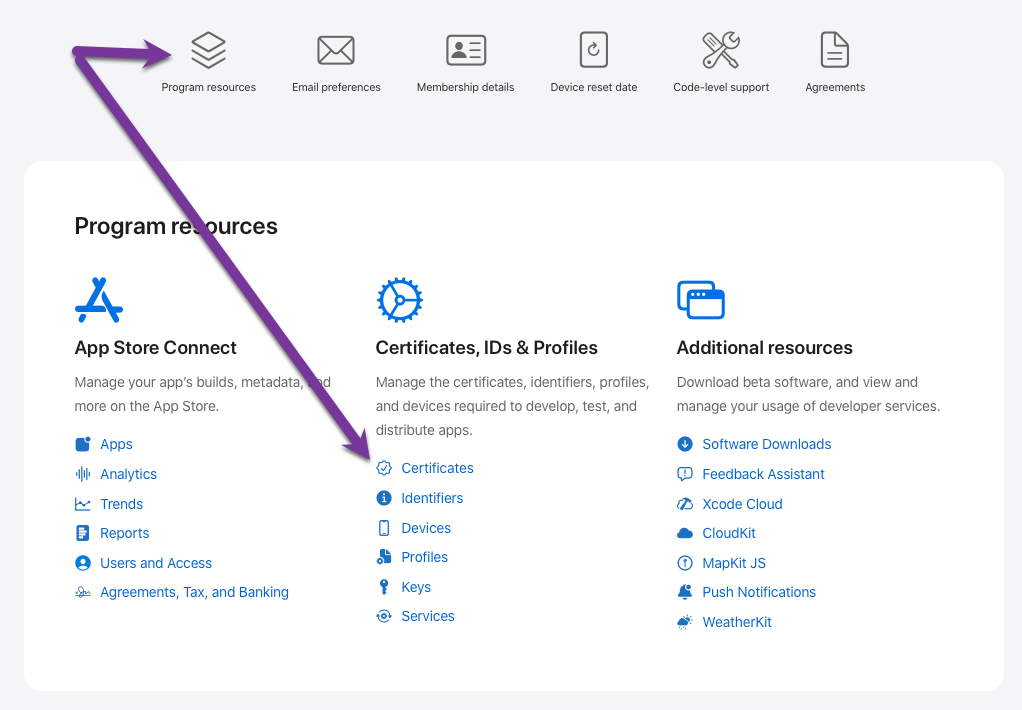
2. Create Application and Installer Certificates
Using Xcode under Settings > Account add your Apple ID. Based on your Apple ID, you can create the 2 other certificates.
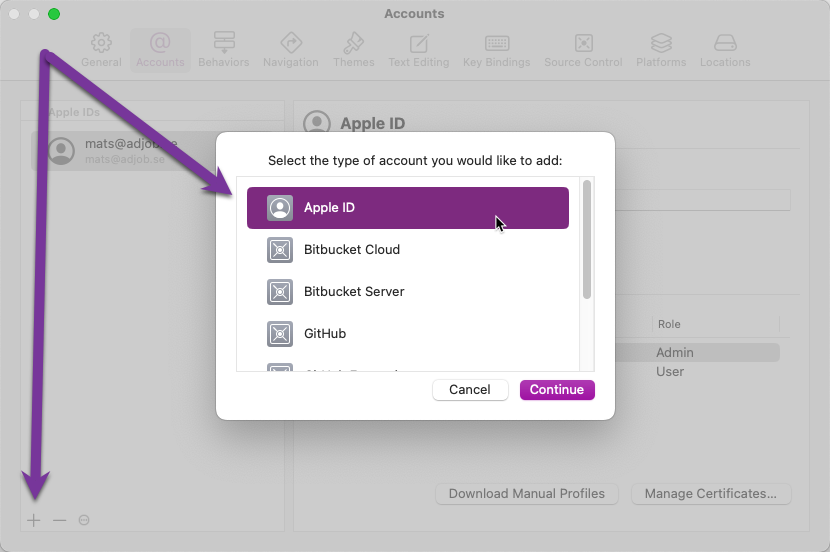
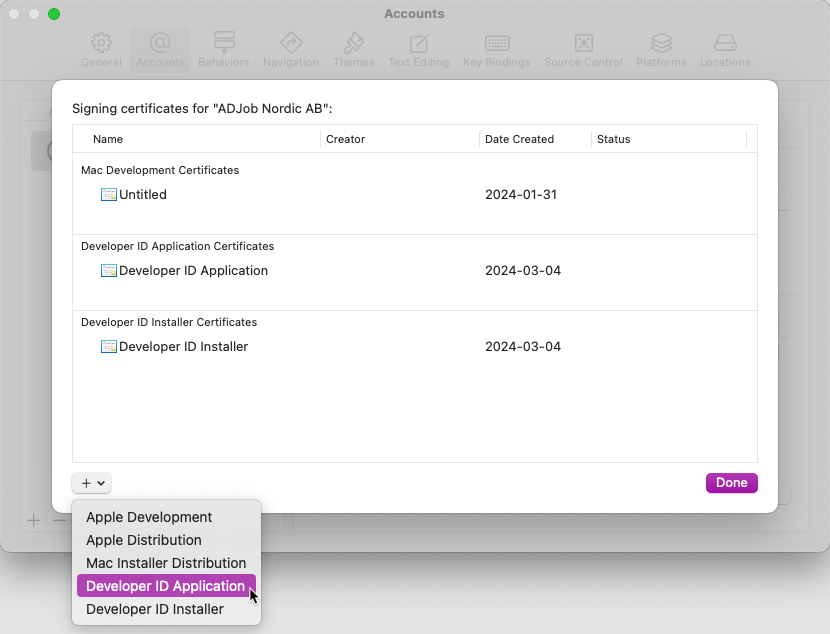
3. Check the Certificates
You can use the Terminal to see if the certificates are "available" for code signing.
security find-identity -v -p codesigning
If they not are visible, you can evaluate each Ceritifcate in the Keychain. Right click on each certificate and select Evaluate....
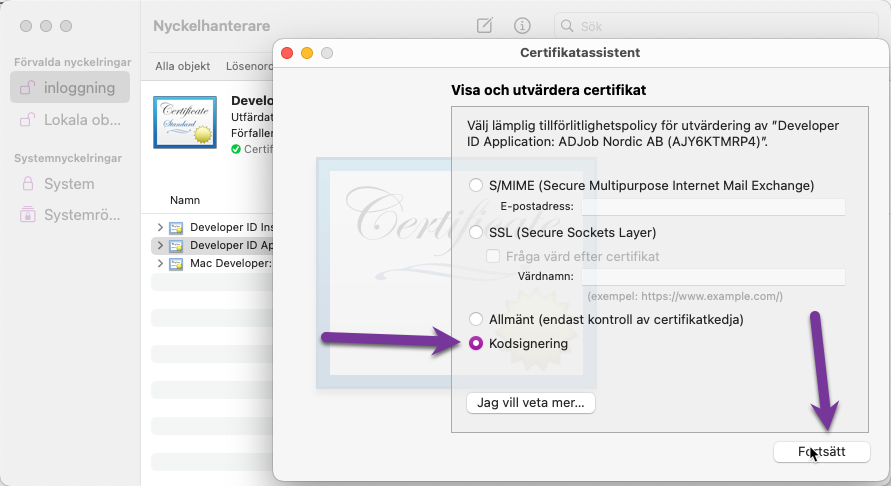
Prepare Entintlements. Basically, it is a configuration list for the sandbox on what to allow and what to deny your application. This is the Omnis recommendations.
4. Create the Entitlements.plist
entintelments.plist including the cs.allow-jit added according to Omnis support.
<?xml version="1.0" encoding="UTF-8"?>
<!DOCTYPE plist PUBLIC "-//Apple//DTD PLIST 1.0//EN" "http://www.apple.com/DTDs/PropertyList-1.0.dtd">
<plist version="1.0">
<dict>
    <key>com.apple.security.automation.apple-events</key>
    <true/>
    <key>com.apple.security.cs.disable-library-validation</key>
    <true/>
    <key>com.apple.security.cs.allow-dyld-environment-variables</key>
    <true/>
    <key>com.apple.security.device.audio-input</key>
    <true/>
    <key>com.apple.security.device.camera</key>
    <true/>
    <key>com.apple.security.personal-information.location</key>
    <true/>
    <key>com.apple.security.personal-information.addressbook</key>
    <true/>
    <key>com.apple.security.personal-information.calendars</key>
    <true/>
    <key>com.apple.security.personal-information.photos-library</key>
    <true/>
    <key>com.apple.security.cs.allow-jit</key>
    <true/>
</dict>
</plist>
extra_entitlements.plist Executables that are used as a sub-process (such as oBrowser helper app and the Node.js server app) will require extra entitlements to allow them to be run:
<?xml version="1.0" encoding="UTF-8"?>
<!DOCTYPE plist PUBLIC "-//Apple//DTD PLIST 1.0//EN" "http://www.apple.com/DTDs/PropertyList-1.0.dtd">
<plist version="1.0">
<dict>
    <key>com.apple.security.automation.apple-events</key>
    <true/>
    <key>com.apple.security.cs.disable-library-validation</key>
    <true/>
    <key>com.apple.security.cs.allow-dyld-environment-variables</key>
    <true/>
    <key>com.apple.security.device.audio-input</key>
    <true/>
    <key>com.apple.security.device.camera</key>
    <true/>
    <key>com.apple.security.personal-information.location</key>
    <true/>
    <key>com.apple.security.personal-information.addressbook</key>
    <true/>
    <key>com.apple.security.personal-information.calendars</key>
    <true/>
    <key>com.apple.security.personal-information.photos-library</key>
    <true/>
    <key>com.apple.security.cs.debugger</key>
    <true/>
    <key>com.apple.security.cs.disable-executable-page-protection</key>
    <true/>
</dict>
</plist>